Integrating smartphone with smart home devices can dramatically enhance the way you manage your daily tasks, offering unparalleled convenience and efficiency. By integrating your smartphone with your smart home, you unlock a new level of control over your environment, allowing you to automate and optimize everything from lighting to security systems with just a tap or voice command. To start, it’s essential to choose a compatible ecosystem such as Google Home, Alexa, or Apple HomeKit, which ensures smooth integration between your smartphone and a wide range of smart devices. This compatibility makes managing your smart home seamless and user-friendly. A stable Wi-Fi connection is crucial for ensuring your devices function properly, with the 2.4 GHz band being the best option for a reliable range. Regularly update your router’s firmware to prevent connectivity issues and ensure smooth communication between devices. Furthermore, be sure to give each device a unique and consistent name to improve the accuracy of voice commands and device recognition. Customizing your routines and automating actions like adjusting the thermostat or turning on lights can further simplify your day-to-day activities, creating a personalized environment. To protect your smart home, strengthen your security measures by using multi-factor authentication, setting up strong passwords, and consistently updating your devices’ firmware to ensure they are running at their best. By following these steps, you will be able to make the most out of integrating your smartphone with your smart home, enhancing both convenience and performance.
Smart Home Ecosystems
Smart home ecosystems like Google Home, Amazon Alexa, and Apple HomeKit serve as the backbone of any smart home setup. Google Assistant is renowned for its ability to process complex commands, while Alexa boasts extensive third-party integrations. Apple HomeKit, on the other hand, offers superior security and seamless functionality for iPhone users. Additionally, the new Matter standard is improving cross-platform compatibility, making it easier than ever to integrate different devices within a single system.
Ensuring a Stable Connection for Integrating Smartphone with Smart Home
A strong and reliable Wi-Fi network is essential for ensuring smooth communication between your smartphone and smart home devices. Most smart devices perform optimally on a 2.4 GHz band due to its longer range, though upgrading to Wi-Fi 6E can improve performance for multiple connected devices. Proper network planning can help prevent connectivity issues, and using dedicated smart hubs can reduce congestion, ensuring uninterrupted operation.
Wi-Fi Frequency Options
Selecting the appropriate Wi-Fi frequency band impacts device performance significantly. While the 2.4 GHz band offers extended range, the 5 GHz band delivers faster speeds. The latest Wi-Fi 6E introduces a 6 GHz band, reducing interference and providing increased capacity. Keeping your router’s firmware updated and connecting devices to the most suitable band enhances stability and ensures peak efficiency when integrating smartphone with smart home technology.
Network Planning Essentials
Proper network setup is critical for maintaining reliable smart home performance. Position your router centrally, avoid interference from other electronic devices, and consider a mesh Wi-Fi system to extend coverage. Dedicated smart hubs like Zigbee and Z-Wave can improve network stability and streamline device connectivity. Ensuring proper network planning will help maintain consistent functionality for all your integrated devices.
Setting Up Devices for Seamless Integration
To integrate your smartphone with your smart home, start by selecting compatible devices that work within your chosen ecosystem. Follow manufacturer instructions to install and connect devices via dedicated apps. QR codes and serial numbers often facilitate quick pairing, reducing setup time. Regularly updating device firmware through these apps ensures optimal functionality and security.
Device Naming and Grouping
Once devices are set up, assign them unique and logical names to improve voice command recognition. For instance, using ‘Living Room Lamp’ instead of generic names makes it easier for voice assistants to execute commands. Grouping devices into rooms or categories, such as ‘Kitchen Appliances’ or ‘Bedroom Lights,’ enhances efficiency and organization.
Automating Tasks for a Smarter Home Experience
Automation elevates smart home convenience by enabling your devices to work in harmony. Setting up custom voice commands and geolocation-based actions ensures a seamless experience. Imagine saying ‘Good morning’ and having your lights turn on, the thermostat adjust, and coffee start brewing automatically.
Customizable Voice Commands
Platforms like Alexa, Google Assistant, and HomeKit allow users to create custom voice commands to trigger multiple actions simultaneously. Integrating smartphone with smart home routines enhances efficiency, making everyday tasks effortless. By leveraging automation tools like IFTTT, you can set up advanced interactions between different devices.
Presence-Based Actions
Presence-based automation takes convenience to the next level by using geolocation data to trigger actions. Your home can automatically adjust lighting, temperature, and security settings when you arrive or leave. This approach enhances energy efficiency by ensuring devices operate only when needed, reducing unnecessary power consumption.
Enhancing Security in Your Smart Home
Protecting your smart home from cyber threats is crucial. Implement multi-factor authentication to add an extra layer of security. Set strong passwords with at least 12 characters and enable encryption for secure data transmission. Regularly updating firmware also helps mitigate vulnerabilities and ensures your devices remain protected.
Privacy Considerations
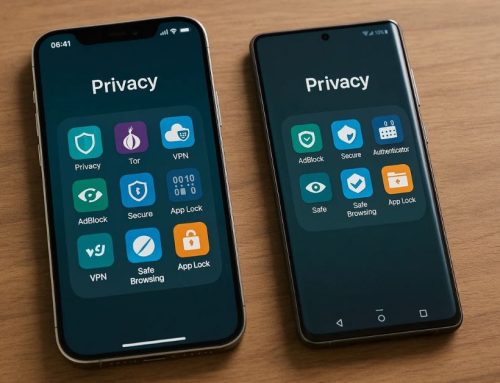
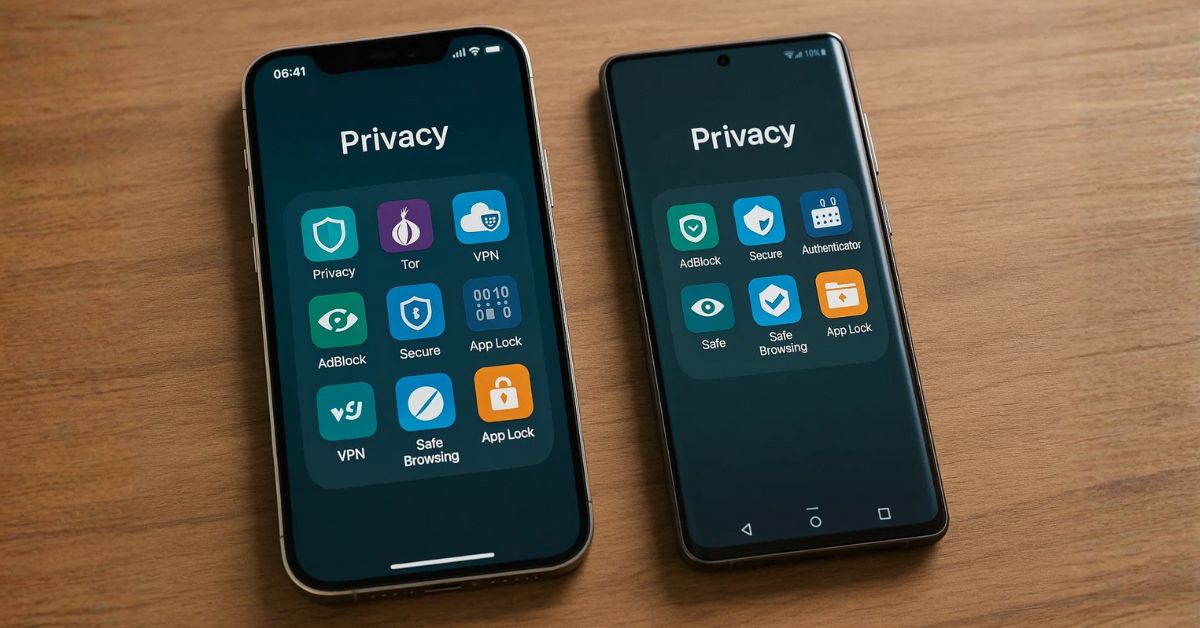
Smart home devices often include microphones and cameras, raising privacy concerns. To safeguard personal data, regularly review device privacy settings, disable unnecessary features, and stay informed about how manufacturers handle user data. Proper privacy management ensures that integrating smartphone with smart home systems remains both safe and convenient.
Troubleshooting Common Integration Issues
Even with the best setup, occasional issues may arise when integrating smartphone with smart home devices. Ensure that both your smartphone and smart devices are connected to the same Wi-Fi network, preferably 2.4 GHz for stable performance. Restart devices, check for firmware updates, and use dedicated apps to reconfigure settings if needed. Manufacturer resources and online forums can also provide solutions to persistent issues.
Final Thoughts
Integrating smartphone with smart home technology unlocks a world of convenience, automation, and efficiency. By selecting the right ecosystem, optimizing your network, setting up devices strategically, and automating tasks, you can create a seamless and intelligent home environment. Prioritizing security and privacy ensures a safe and reliable setup. With ongoing updates and maintenance, your smart home will continue to enhance your daily life, making everyday tasks more intuitive and effortless.